
Choosing a Template
In order to download Controlled access content, a Distributor org must have an active license agreement with the Contributor of the content item. This may be accomplished by using a DBL template or an external agreement.
A DBL template provides the structure for inserting specific details to create agreements using standardized formats. This allows a Contributor organization to create one template that is reusable to save time and effort.
To initiate the licensing process using a template, a Distributor can request an agreement or a Contributor can create an agreement.
In some situations, organizations will not use a DBL template. Instead, the organizations will draft and execute a license agreement external to DBL. For instructions, skip to the section titled Using an External Agreement.
How Distributors Choose a Template
When a Distributor org would like to download Controlled access content, the best way is to contact the Contributor that provided the content and inquire about their preferred template to use for an agreement. Here’s how to find the person to contact:
-
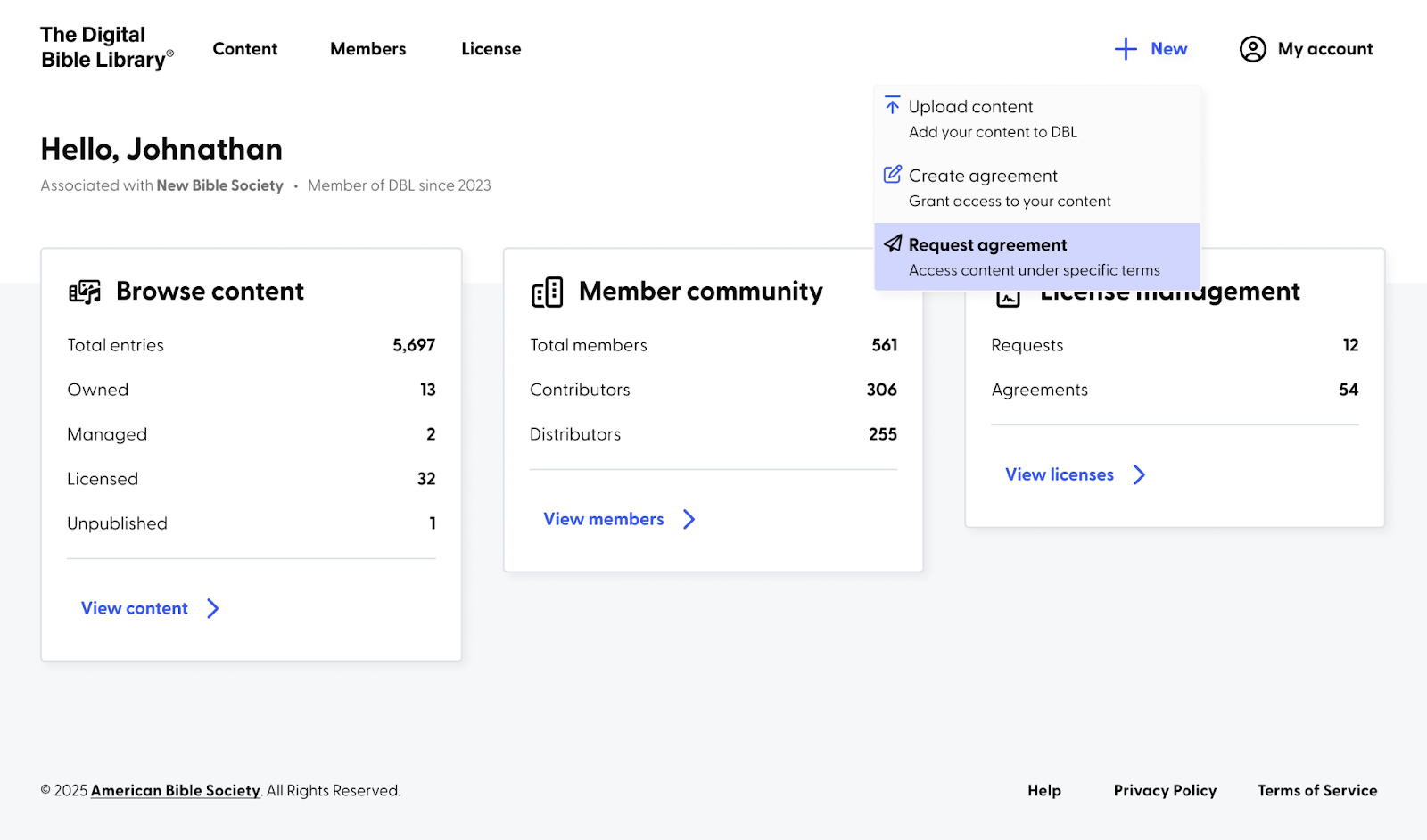
Follow the first 2 steps in the article titled, How to Get a License Agreement. In brief, on the DBL Dashboard, click on the “+ New” link and select Request agreement. Then select the organization you are representing as well as the content item to which you wish to gain access.
-
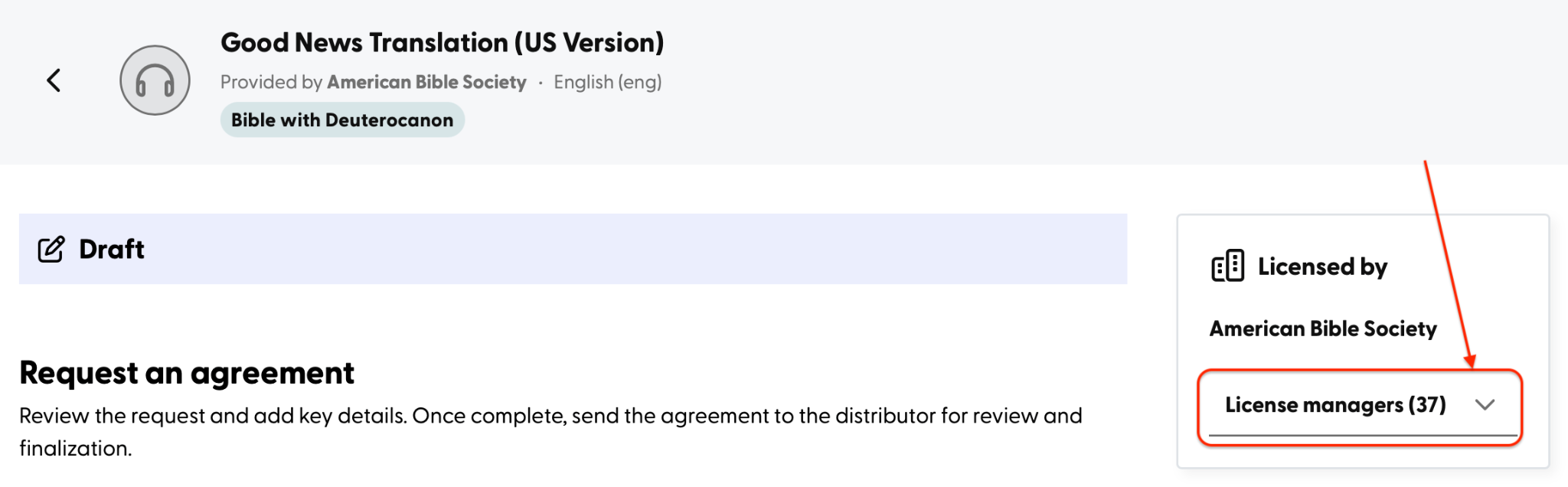
From the screen titled Request an agreement, the right sidebar has the Contributor org’s name and a list of its License managers. Toggle open the list of License managers and click on the envelope icon to email someone that you know. Or, you may select the first person on the list to make an inquiry.
- In your email to the license manager, you may write something like this:
Hello {License Manager Name} of {Contributor Org Name},

I am writing to request a license agreement to access the {content item name} via the DBL (Digital Bible Library.) Here’s a brief description for how we would like to use the content: {description here.}

Please reply back with the name of the DBL template we should choose when requesting an agreement. Also, please note if it is a Shared, Owned, or Community template.

Thank you.
Once you know the Contributor’s preferred template, then your Distributor org can select the correct template in Step 3 of the instructions in the article, How to Get a License Agreement.
How Contributors Choose a Template
When a Contributor org has provided Controlled access content to the DBL, the Contributor org typically has its terms and conditions for using their content. Using a template can save a lot of time and effort during the licensing process.
A DBL template provides the structure for inserting specific details to create agreements using standardized formats. This allows a Contributor organization to use one template with multiple Distributor organizations without having to start over from scratch.
Creating a Template explains how your org can make a license agreement template that is reusable, because Using Template Variables allows one template with variables that are filled in with the corresponding info from both organizations to create a draft agreement.
Suggested Workflow
- When a Distributor inquires by email about which template to choose for requesting an agreement, it’s more expedient for you as the Contributor org to Draft an Agreement.
- When you get to the page titled Create a controlled access agreement, select the Distributor organization that inquired.
- Choose the template you’d like to use from one of the template lists: Shared, Owned, or Community.
Alternate Workflow
- When a Distributor inquires by email about which template to choose for requesting an agreement, you can prepare a default reply to reuse.
- Reply to their email with the template name and where it is located: Shared Templates, Owned Templates, or Community Templates.
- This is an example email reply you may adapt:
Hello {License Manager Name} of {Distributor Org Name},

Thank you for contacting us about your interest in licensing the {Content Item Name} for your use.

To start the license agreement process, please use the {Template Name} when you initiate a Request Agreement. This template can be found in the {Shared | Owned | Community} templates list.

Thank you.

Using an External Agreement
An external agreement may be used instead of using a template to create an agreement, This would involve the Distributor and Contributor organizations contacting each other by emails to discuss the terms of use and create an agreement document that is signed by both organizations externally. That document will then need to be uploaded by the Contributor into DBL.
See the article Negotiating an Agreement for detailed instructions on how to upload the external agreement.
